
THE AI OPERATING SYSTEM
FOR CHIP DEVELOPMENT
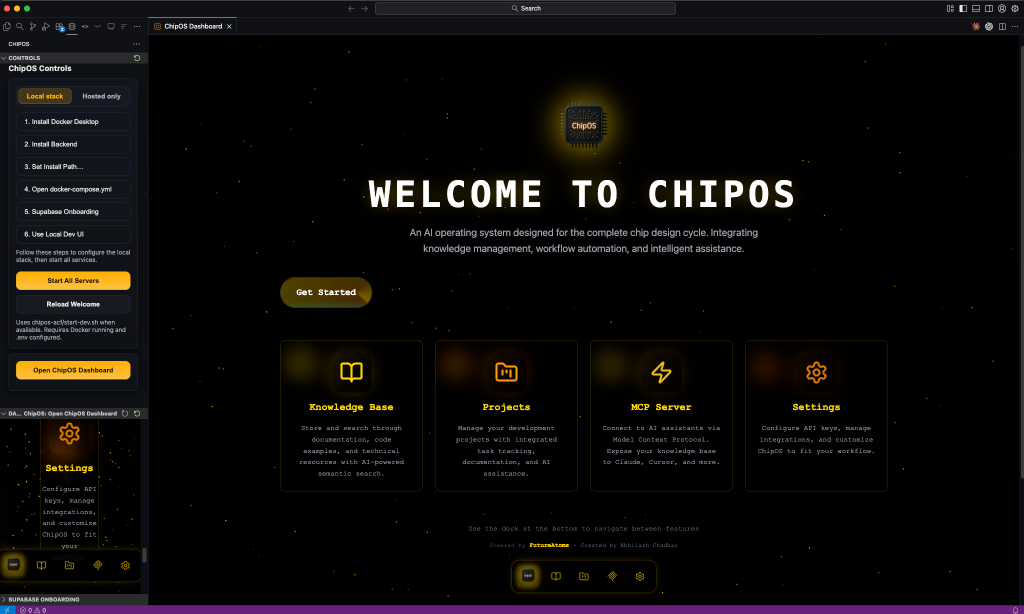
Like macOS for chip development. Log in, pick a workspace, choose Agent/Chat/Zendesk mode, and open the dashboard for knowledge, projects, and MCP-powered AI workflows.
What's New in 2026.01 View Full Changelog
Smoother sign-in and session continuity for Chat Mode
Choose Agent, Chat, or Zendesk and pick an agent pack at launch
14 bundled slash commands + command packs auto-installed
Code-aware ingestion with Knowledge Inspector visibility
Connectivity checks, local model discovery, and health panels
Open, toggle, or exit fullscreen chat from the command palette
GET STARTED IN 3 STEPS
No complicated setup. Pick a workspace, choose a mode, and you're in.
Sign In (Optional)
Use email/password or OAuth (Google, GitHub, Microsoft). Local mode can skip sign-in.
Select Workspace + Mode
Open a folder, then choose Agent, Chat, or Zendesk. Agent Mode also picks a pack.
Configure + Go
Set providers, add knowledge, connect MCP, or jump into Chat Mode.
SECURITY & COMPLIANCE
Built for enterprise with OWASP LLM Top 10 (2025), OWASP API Top 10 (2023), and NIST AI RMF alignment.
NIST AI RMF
Aligned Controls
OWASP API
API Top 10 (2023)
OWASP LLM
LLM Top 10 (2025)
CIS Benchmark
Container Hardening
Secure SSO with OAuth support
Content filtering and request guardrails
Domain whitelisting and private IP blocking
Row-level security policies enforced across data tables
Comprehensive request logging for compliance
Per-user/IP protection on all endpoints
AGENT PACKS
Choose an agent pack during workspace selection to tailor commands, prompts, and workflows for your domain.
CORE PACKS
Documentation
Generate and maintain project documentation, READMEs, and API docs.
Web Development
Modern web development with React, Vue, Tailwind, and full-stack tools.
Spec Developer
Hardware requirements, specs, and design checklists.
RTL & PHYSICAL PACKS
RTL Verification
SystemVerilog + UVM verification workflows and checklists.
RTL Debug
Waveform analysis, assertions, and failure triage.
Physical Design
Place-and-route guidance and physical flow checks.
SYSTEMS & SDK PACKS
Hardware Programmer
Low-level programming, firmware, and driver workflows.
CPU Development
RISC-V architecture planning and subsystem design.
Raspberry Pi
Embedded workflows for Pi-based prototyping.
Axelera Voyager SDK
AI acceleration pipelines and Metis tooling.
THREE MODES
Choose a startup mode in the workspace selector to match your workflow.
Agent Mode
IDE-FIRSTIDE-first workflow with agent packs, projects, and MCP tools.
- Claude Code + MCP tools
- Agent pack commands in .claude/commands
- Knowledge base and repo ingestion
- Projects, tasks, and agent work orders
- Hosted or local backend support
Chat Mode
FREE FOR ALLFullscreen ChipChat with provider choice and MCP tools.
- ChipOS SSO
- Multi-provider models (OpenAI, Anthropic, Google, OpenRouter, Grok)
- Hosted MCP endpoint for Chat Mode
- File upload and RAG search
- Fullscreen toggle (Cmd/Ctrl+Shift+F)
Zendesk Mode
SUPPORT TEAMSLLM-powered customer support workflows via Zendesk MCP.
- Authenticate with admin or personal accounts
- Search tickets, comments, and Help Center
- Draft and post replies using any LLM
- MCP server connected for tool access
- Automate vendor ticket responses
Multi-Provider AI
Connect OpenAI, Anthropic, Google, OpenRouter, Grok, and local models via Ollama. ChipOS tracks provider health while keeping your workspace context consistent.
PROVIDER STATUS & SWITCHING
Validate API keys, check provider health, and switch models quickly.
See which providers are healthy and choose the right model for each workflow.
Knowledge Management
Store datasheets, specs, and docs. Crawl sites, upload PDFs, and inspect chunks in the Knowledge Inspector.
Hybrid RAG Engine
Hybrid search + reranking, context expansion, and RAG health checks tuned for hardware workflows.
Repository Ingestion
Ingest GitHub repos with code-aware chunking to power code search and examples.
MCP Server
Model Context Protocol server for seamless integration with Claude Code, Cursor, Windsurf, and other MCP clients.
Projects & Tasks
Plan work in Kanban or table views, track status, and keep docs close to execution.
Agent Work Orders
Queue structured AI jobs with streaming logs and repository tracking.
UNMATCHED INTELLIGENCE
ChipOS ships a configurable RAG pipeline with hybrid search, reranking, and code-aware chunking built for semiconductor workflows.
Voyage Embeddings (Default)
Uses Voyage AI voyage-code-3 (1024 dims) by default. Switch to OpenAI or local embeddings when needed.
cAST Code Chunking
Code-aware chunking via tree-sitter (with fallback) preserves structure for repository ingestion and code search.
Agentic RAG + Reranking
Optional agentic RAG, query classification, and cross-encoder reranking improve relevance for tough queries.
Hybrid Search Engine
Combines vector similarity with BM25 keyword matching for comprehensive coverage. Handles CamelCase/snake_case identifiers and technical terms that pure semantic search misses.
Universal AI Context (MCP)
ChipOS acts as the central brain for all your AI tools. Through our HTTP-based MCP server, Claude, Cursor, Windsurf, and other MCP clients gain instant access to your entire hardware knowledge base.
DEVELOPMENT ROADMAP
ChipOS is evolving into a complete AI-powered hardware development platform. From RTL design to GDSII — all driven by intelligent automation.
AVAILABLE NOW
Workspace Selector
Agent/Chat/Zendesk startup
Chat Mode (ChipChat)
SSO + hosted MCP context
Knowledge Base + Inspector
Docs, crawl, repo ingestion
Projects & Tasks
Kanban + execution tracking
Agent Work Orders
Queued jobs with live logs
Provider Status + Ollama
Connectivity checks + local models
COMING SOON
RTL Design
AI-assisted Verilog & SystemVerilog generation from natural language specifications.
- Natural language to RTL
- FSM synthesis
- Module scaffolding
Verification Automation
Auto-generate UVM testbenches, coverage plans, and constrained random stimulus.
- UVM testbench generation
- Coverage planning
- Assertion synthesis
Intelligent Debug
AI-powered waveform analysis, signal tracing, and automatic root cause detection.
- Waveform anomaly detection
- Signal path tracing
- AI-suggested fixes
Formal Verification
Automatic property extraction, assertion-based verification, and proof-based bug hunting.
- Property extraction
- Bounded model checking
- Cover synthesis
Simulation & Waveforms
Integrated simulation tools with GHDL, Icarus, Verilator and intelligent waveform analysis.
- GTKWave integration
- Surfer waveform viewer
- AI waveform insights
Synthesis & Physical
Full RTL to GDSII flow with Yosys, OpenROAD, and AI optimization at every step.
- Yosys synthesis
- OpenROAD P&R
- AI optimization
"ChipOS isn't just a knowledge base. It's becoming the entire chip design workflow — powered by AI."
GET STARTED
Try in Browser
No installation required. Launch ChipOS directly in your browser with the hosted backend.
Open to everyone: Sign in with Google, Microsoft, or any email
Sign in with your Google, Microsoft, or email account
Don't have an account? |
Already have an account?
Remember your password?
Signed in as
Launch ChipOS Web AppOr Download Desktop App
macOS
Download ChipOS-macOS-arm64.dmg
Open the downloaded .dmg file
Drag ChipOS to your Applications folder
macOS 11+ • Apple Silicon
Linux
Download .deb package
Install with dpkg
v1.0.0 • Ubuntu/Debian • x86_64